Docs
Embed a GPORais record in your intranet, wiki or blog (iframe)
Every GPORais setting can be shown directly in your own pages: a team wiki, an internal procedure, deployment documentation, a blog post. The embedded record shows the path in the Group Policy console, the registry key and values, and the Intune mapping when one exists.
It is served by gporais.com: when the data is updated, your page is too, with nothing to edit. It is free, with no sign-up and no tracking.
In three steps
1. Open the setting’s record and click Embed, on the right under the title.

2. Choose what to embed and the theme. The preview updates live.
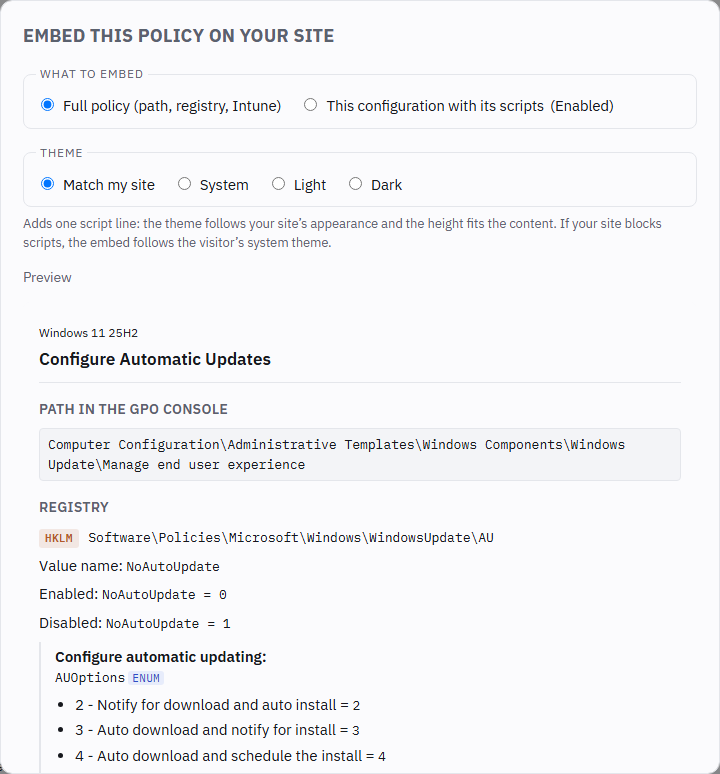
- Full policy: path, registry, configurable elements and Intune mapping.
- This configuration with its scripts: the value as you set it in the record’s builder,
with the
.reg, PowerShell, Intune and SCCM scripts to apply it. - Mini: a small card with the name, source, console path and registry key, to drop into a wiki, a ticket or a table.
3. Copy the code and paste it into your page.
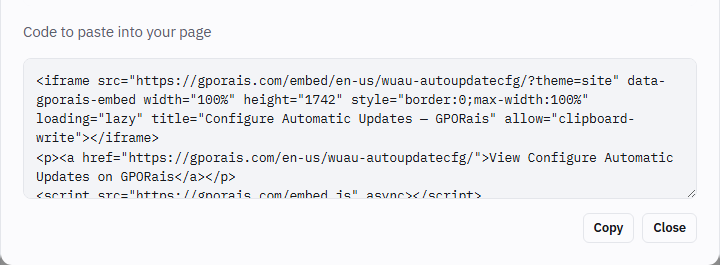
That is all. The height is already measured for you.
Live demo
The three blocks below are not images: they are real embeds, loaded from gporais.com exactly as they would be on your site.
Light theme — ?theme=light
Dark theme — ?theme=dark
Match my site — ?theme=site, with embed.js. Switch this page’s theme (button at the
top right): the embed follows.
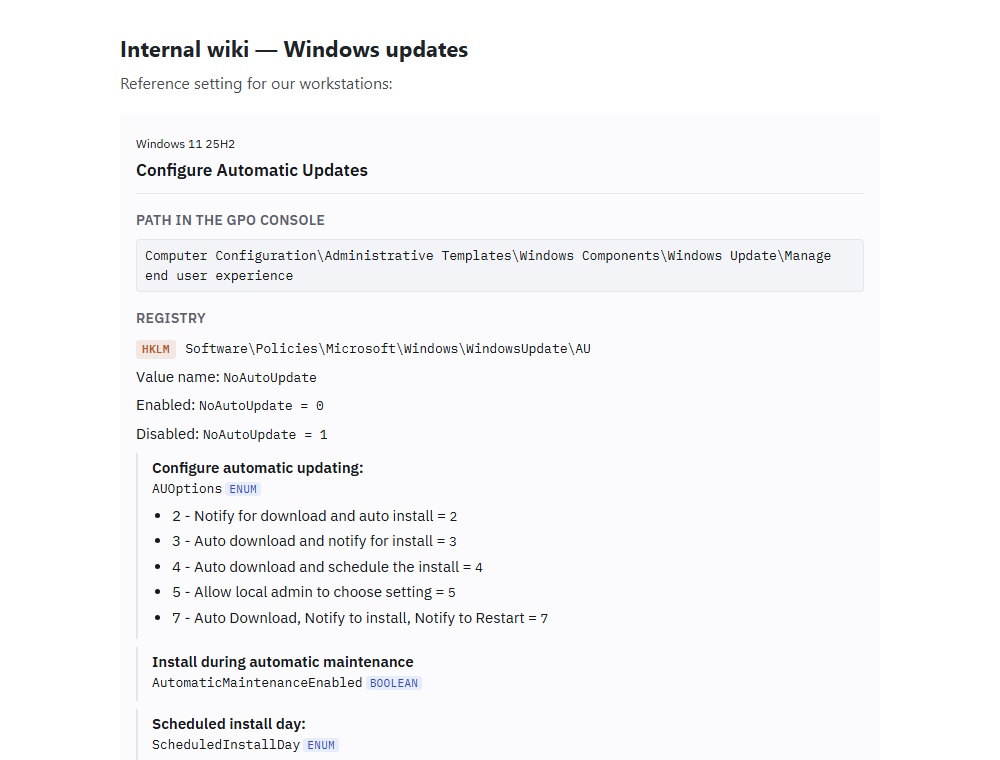
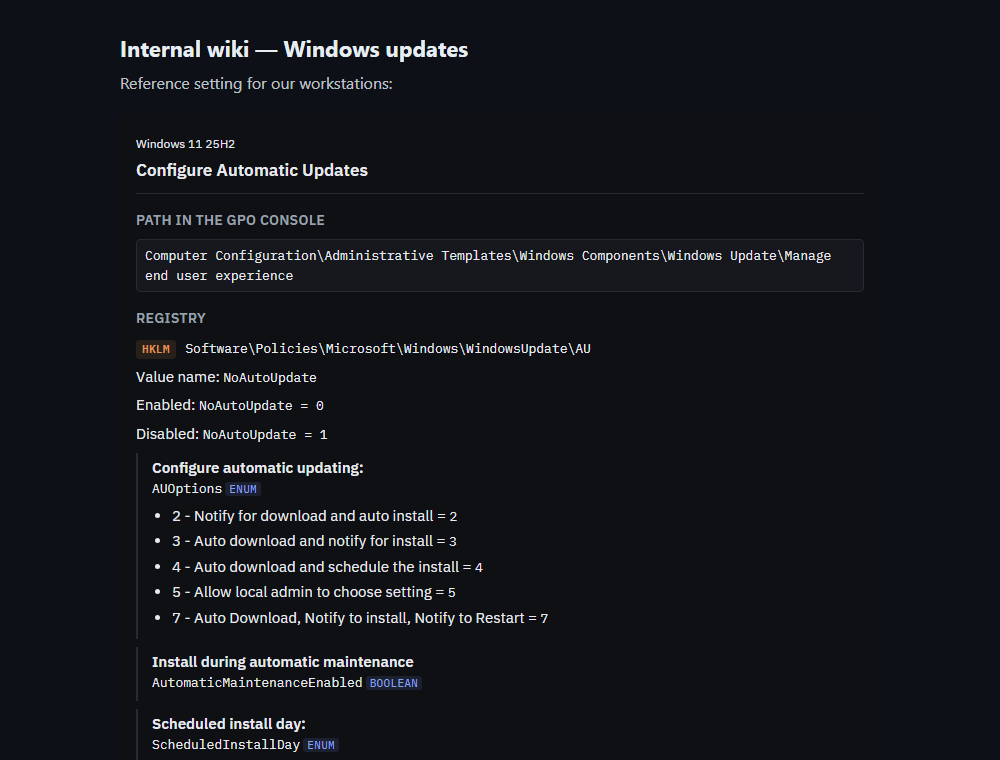
Here is what the result looks like on an intranet, light then dark:
Anatomy of the code
The generated code is three lines. Here is what each part does.
<iframe src="https://gporais.com/embed/en-us/search-disablesearchhistory/?theme=site"
        data-gporais-embed
        width="100%" height="430"
        style="border:0;max-width:100%"
        loading="lazy"
        title="Turn off storage and display of search history — GPORais"
        allow="clipboard-write"></iframe>
<p><a href="https://gporais.com/en-us/search-disablesearchhistory/">View the record on GPORais</a></p>
<script src="https://gporais.com/embed.js" async></script>
| Part | Role |
|---|---|
src | The embedded record’s address: /embed/<language>/<setting>/. The language is en-us or fr-fr. |
?theme= | The theme (see below). Without it, the record follows the visitor’s system theme. |
data-gporais-embed | The marker embed.js uses to find the iframe. Keep it if you use the script. |
width="100%" | The record takes the available width and adapts to small screens. |
height | The height, measured by the dialog when the code was generated. |
style="border:0;max-width:100%" | No frame, and never wider than your page. |
loading="lazy" | The record only loads as it approaches the screen. |
title | The name read by screen readers. Keep it: it is an accessibility requirement. |
allow="clipboard-write" | Lets the record’s Copy buttons work inside the iframe. |
<p><a …> | A link to the full record. Still useful if the iframe is blocked. |
<script … embed.js> | Optional. Only present with the “Match my site” theme. |
The four themes
| Choice in the dialog | Parameter | Behaviour |
|---|---|---|
| Match my site | ?theme=site + embed.js | Follows the light or dark theme of your page, and the height adjusts by itself. |
| System | none | Follows the light or dark setting of the visitor’s computer. |
| Light | ?theme=light | Always light. |
| Dark | ?theme=dark | Always dark. |
How “Match my site” works out your theme: embed.js reads the actual background colour of
your page, then watches for changes to the class, data-theme, data-color-mode and
data-bs-theme attributes. So it follows most sites with no setup, including those that switch
theme without reloading the page.
“Match my site” is the nicest option, but it requires being able to add a <script> tag. If
your platform strips it, the embed still works: it then follows the visitor’s system theme, at a
fixed height.
Height
Without the script, the height is fixed: the one the dialog measured. If the record’s content ever grows, a scroll bar appears inside the iframe.
With embed.js, the height adjusts automatically to the content, including when the visitor
expands a section. One <script> per page is enough, even for several embeds.
The mini format is small by design: its default height is 170 pixels.
Embed a specific configuration
The This configuration with its scripts type freezes a configured value. Its address carries the configuration in the URL:
<iframe src="https://gporais.com/embed/en-us/wuau-autoupdatecfg/?state=enabled&theme=light"
        data-gporais-embed width="100%" height="1213"
        style="border:0;max-width:100%" loading="lazy"
        title="Configure Automatic Updates — GPORais"
        allow="clipboard-write"></iframe>
| Parameter | Role |
|---|---|
state | The policy state: enabled or disabled. |
scope | Computer or user, when the policy exists for both. |
v.<element> | The value chosen for each policy option, when it is enabled. |
Do not build these addresses by hand: set the value in the record’s builder, then open Embed and choose This configuration with its scripts. The dialog refuses an invalid configuration.
The mini format
The Mini type shows a small card: the setting’s name, its source, the path in the Group Policy console and the registry key, plus a link to the full record. It is meant for places where space is tight: a table cell, a ticket, a wiki note. It shows neither the description nor the scripts to apply it.
Two usages coexist:
- The key alone. Without
state(or withstate=notconfigured), the card shows the registry key with its value name, without the data. - The key and the chosen value. With
state=enabledorstate=disabled, the card shows the registry rows of that configuration.
The key alone uses view=mini:
<iframe src="https://gporais.com/embed/en-us/chrome-urlblocklist/?view=mini&theme=site"
        data-gporais-embed width="100%" height="170"
        style="border:0;max-width:100%" loading="lazy"
        title="Block access to a list of URLs — GPORais"
        allow="clipboard-write"></iframe>
The key and the chosen value add state (and, if needed, scope and the v.<element>
parameters):
<iframe src="https://gporais.com/embed/en-us/wuau-autoupdatecfg/?view=mini&state=disabled&theme=site"
        data-gporais-embed width="100%" height="170"
        style="border:0;max-width:100%" loading="lazy"
        title="Configure Automatic Updates — GPORais"
        allow="clipboard-write"></iframe>
This card shows, for example, NoAutoUpdate = 1 (REG_DWORD). The card’s Copy button
copies all the registry rows of the configuration (not just the ones shown), one per line.
| Parameter | Role |
|---|---|
view=mini | Turns on the mini card. Without it, the full record is shown. |
state | Optional. Shows a state line (enabled, disabled) and, when it is enabled or disabled, the registry rows of that configuration. |
tab is ignored by the mini view. scope and v.<element> are only taken into account when
state is enabled or disabled. The theme (?theme=) works as for the other types.
Platform examples
HTML page, static site, MkDocs, Docusaurus, Hugo, Jekyll. Paste the code as is. Markdown-based documentation generators accept raw HTML: leave a blank line before and after the block.
WordPress. Add a Custom HTML block and paste the code. Depending on your account’s
permissions, WordPress may strip the <script> tag: the iframe still shows, so pick the Light,
Dark or System theme.
SharePoint Online. Use the Embed web part. SharePoint only accepts iframes from allowed
domains: an administrator must add gporais.com to the site’s HTML Field Security list.
Scripts are not run there: use a fixed theme.
Confluence, Notion and other hosted wikis. Each platform decides which iframes it accepts, often depending on its configuration or apps. If the embed is refused, just keep the link to the record: it always points to the current version.
For developers: the message protocol
embed.js is only a convenience. If you would rather not load a third-party script, you can talk
to the iframe yourself with postMessage:
| Direction | Message | Content |
|---|---|---|
| iframe → your page | { type: 'gporais:embed-ready', url } | The record has loaded. |
| iframe → your page | { type: 'gporais:embed-height', height } | The content height, in pixels, on every change. |
| your page → iframe | { type: 'gporais:theme', theme } | 'light' or 'dark'. Only honoured with ?theme=site. |
window.addEventListener('message', (event) => {
  if (event.origin !== 'https://gporais.com') return;
  const frame = document.querySelector('iframe[data-gporais-embed]');
  if (!frame || event.source !== frame.contentWindow) return;

  if (event.data?.type === 'gporais:embed-ready') {
    frame.contentWindow.postMessage({ type: 'gporais:theme', theme: 'dark' }, 'https://gporais.com');
  }
  if (event.data?.type === 'gporais:embed-height') {
    frame.style.height = `${Number(event.data.height)}px`;
  }
});
Always check event.origin and event.source: any page can send messages to yours.
Security and privacy
- No tracking. An embedded record sets no cookie, uses no browser storage and loads no analytics tool. It contains only two small scripts: one applies the theme, the other reports its height to your page.
embed.jscollects and sends no data: it reads your page’s theme and adjusts the height of GPORais iframes, nothing else.- Search ranking stays yours and ours. Embedded records are marked
noindexand point to the full record: they compete neither with your page nor with ours in search engines. - Your security policy (CSP) must allow the frame, and the script if you use it:
Content-Security-Policy: frame-src https://gporais.com; script-src 'self' https://gporais.com
Troubleshooting
| Symptom | Likely cause | Fix |
|---|---|---|
| Empty frame or “content blocked” | Your CSP does not allow frame-src https://gporais.com, or the platform filters iframes. | Add the directive, or ask your administrator to allow gporais.com. |
| Content cut off at the bottom | Fixed height too short. | Add embed.js, or increase height. |
| The theme does not follow your page | embed.js is missing or blocked. | Check the <script> is present and allowed by your CSP; otherwise pick Light or Dark. |
| Nothing shows on an internal network | The visitor’s machine cannot reach the Internet. | Embeds load from gporais.com: they do not work on an isolated network. |
Limits
- A connection to gporais.com is required at display time: embeds are not suitable for a network fully isolated from the Internet.
- The content cannot be customised: you choose the setting, the type and the theme, not the fields shown.
- The language is the address’s (
en-usorfr-fr), not your page’s. - The data is what gporais.com publishes at display time.
To query the same data from a script rather than display it, see the API guide.